Stop asking
“What’s for dinner?”

Lilara is the family meal planner that keeps everyone on the same page. Plan your week, store your recipes, and share the plan with your partner — so dinner is never a last-minute scramble.

Free to download · No credit card needed
Sound familiar?

The 5pm panic. Every day.

You've had a long day. The kids are hungry. Your partner assumed you were cooking. Nobody can agree on anything, and it's already half five.

Most families don't need a complicated food app. They need a simple way to plan ahead — and to make sure everyone knows the plan.

That’s why we built Lilara.

Before Lilara

“What do you want for dinner?” “I don’t know, what do you want?” Repeat. Every. Day.

After Lilara

Open the app. Check the plan. Start cooking. Everyone knows exactly what’s on the menu.

Simple by design

Up and running in minutes

Lilara is built for busy households, not professional chefs. Three steps and your family is organised.

Plan your week

Fill in breakfast, lunch, and dinner for each day. Ten minutes on Sunday saves an hour of daily stress.

Assign meals to family members

Create a profile for each person in your household. Assign meals so everyone knows what’s on the menu and who it’s for.

Share with your household

Invite your partner or family. Everyone sees the same plan in real time and can make changes together.

See it in action

Everything you need, nothing you don’t

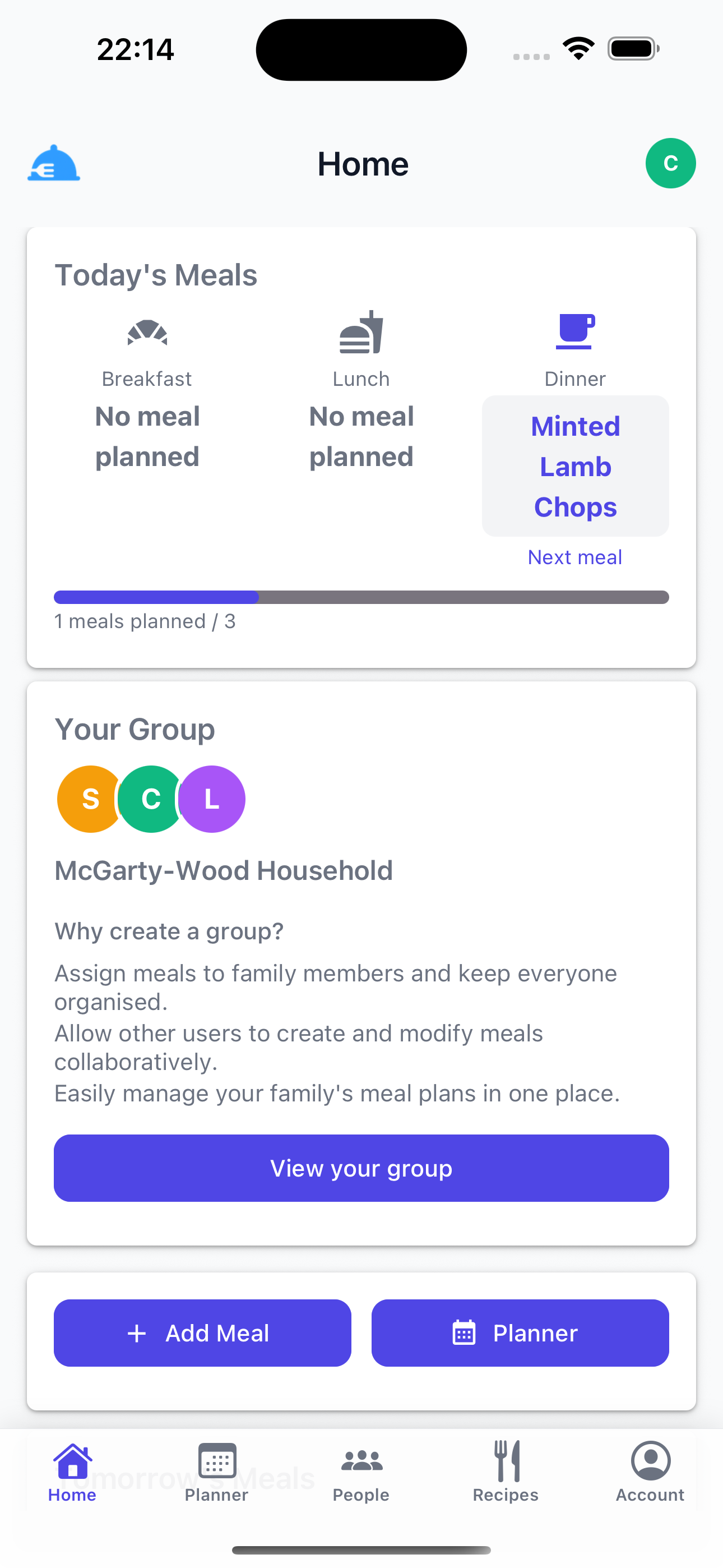
Lilara home screen showing today's meals with Minted Lamb Chops planned for dinner, the McGarty-Wood Household group, and quick-add buttons

Today at a glance

See every meal for today the moment you open the app, plus your household group.

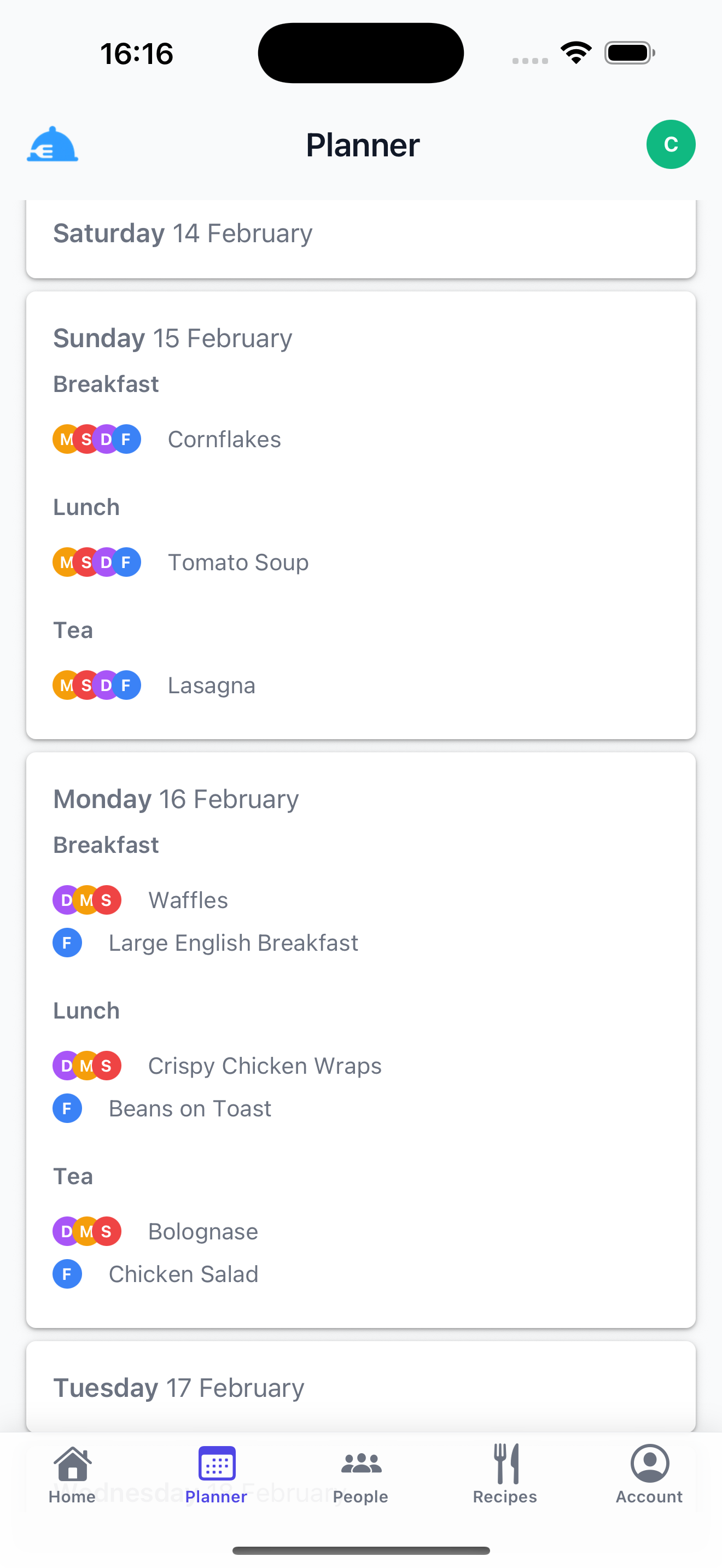
Lilara weekly planner showing meals across multiple days with family member avatars assigned to each meal — Cornflakes, Tomato Soup and Lasagna for Sunday

The full week, laid out

See every meal across the week with each family member assigned. Add or edit with a tap.

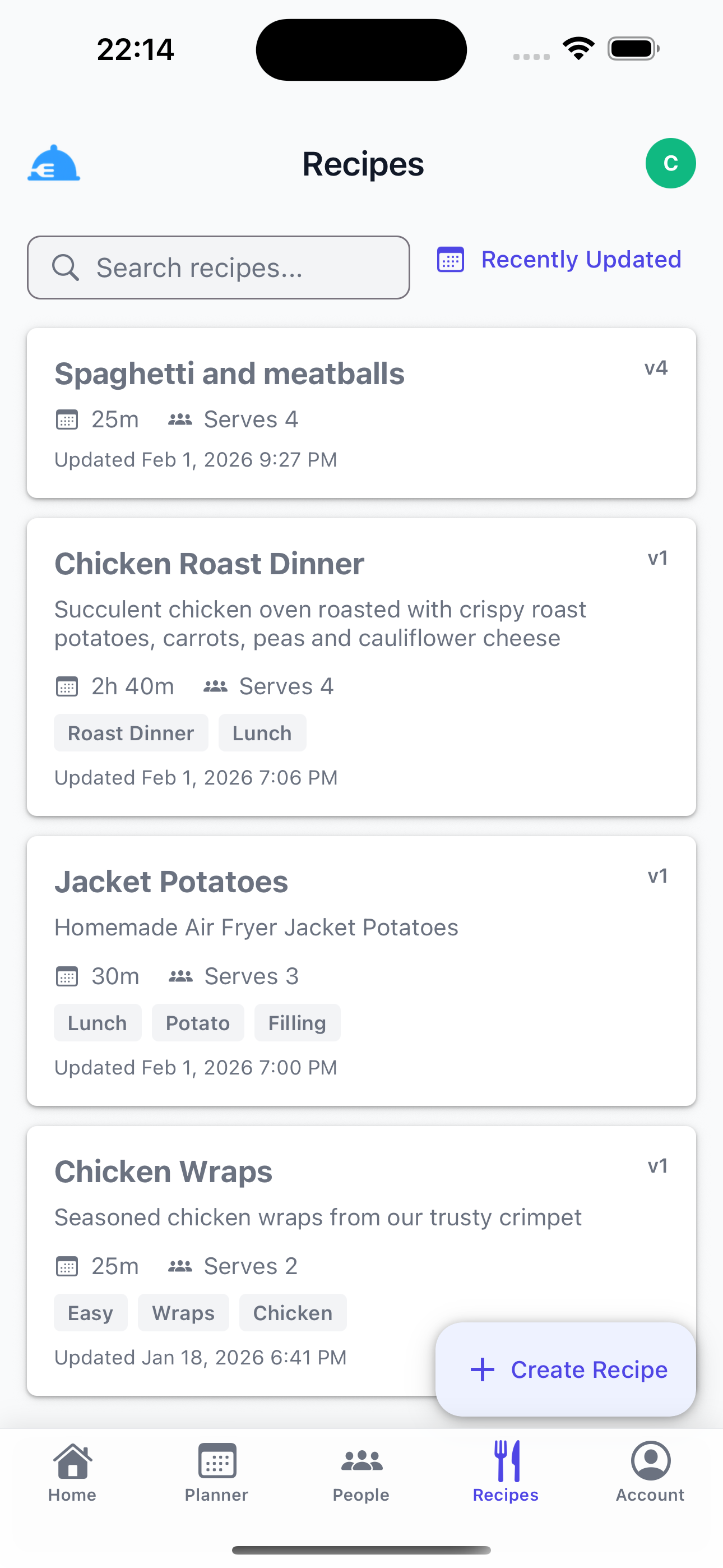
Lilara recipes list showing Spaghetti and Meatballs, Chicken Roast Dinner, Jacket Potatoes, and Chicken Wraps with prep times and serving sizes

Your family cookbook

Search, sort, and manage all your family recipes in one place.

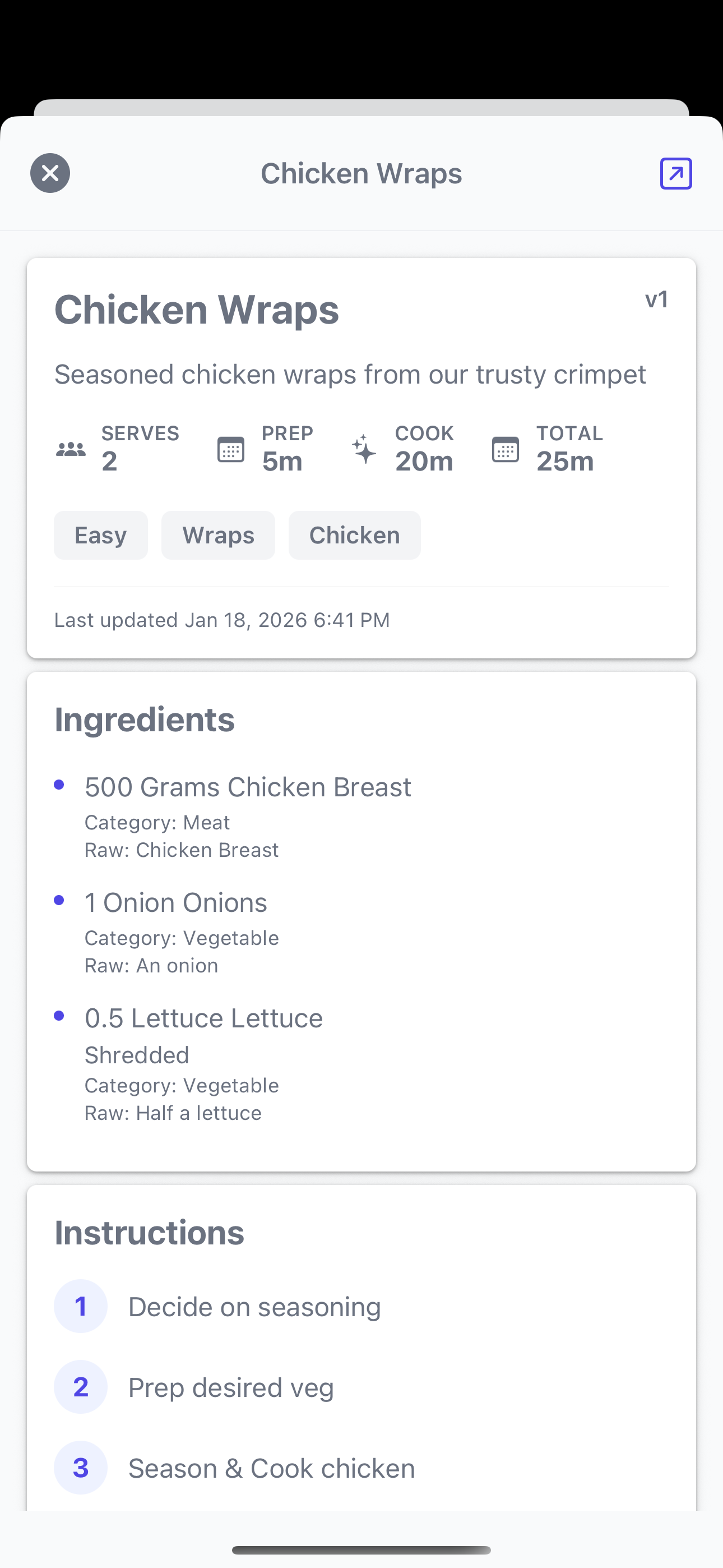
Lilara recipe detail screen for Chicken Wraps showing serves 2, 25 minute total time, full ingredients list including chicken breast and lettuce, and step-by-step instructions

Recipes, step by step

Full ingredients and instructions saved inside the app, always one tap from your planner.

What’s included

Built for real family life

Every feature in Lilara exists to reduce the daily effort of feeding your family well.

Weekly meal planner

Plan every breakfast, lunch, and dinner across the week in one clear view. Never wonder what’s for dinner again.

Recipe storage

Build your family’s personal cookbook inside the app. Store ingredients, instructions, and prep times — and link recipes directly to your plan.

Smart Plan

Let the app suggest your meals. Smart Plan looks at your history and fills in the week for you — perfect for when inspiration runs dry.

Family profiles

Create a profile for each person in your household and assign meals individually. Great for different tastes and schedules under one roof.

Shared planning

Invite your partner or family to the same group. Plan together in real time so nobody is ever left out of the loop.

Meal reminders

Set reminders for breakfast, lunch, and dinner so you always have time to prep. Full control over when and how you’re notified.

Questions

Things families ask

Is Lilara free?

Yes. Lilara is free to download and use. A Pro plan is available for households that want to plan further ahead, add more family profiles, and unlock Smart Plan meal suggestions.

Does Lilara work on iPhone?

Yes, Lilara is available on iOS. Download it free from the App Store. Android support is on the roadmap.

Can my partner use it too?

Absolutely. Create a group and invite your partner. You’ll both see the same plan in real time and can both make changes from your own phones.

Can I store my own recipes?

Yes. You can create, store, and search your own recipes inside the app — including ingredients, instructions, and prep times. You can link a saved recipe directly to a day in your planner so it’s always one tap away.

What is Smart Plan?

Smart Plan automatically suggests meals for your week based on what your family has eaten before. The more you use the app, the better the suggestions. Smart Plan is available on the Pro plan.

Is my family’s data private?

Yes. Your meal data is stored securely and never shared with third parties for advertising. Lilara operates under UK GDPR and the Data Protection Act 2018. Read our Privacy Policy for full details.

Dinner planning sorted.

Lilara is free to download. Start planning your family’s meals today.

Download on the App Store

Free to download · No credit card needed